
Three Photo Tactics to Get Through Your Daughter’s Teen Years

DSCN1927

Wow. . . my thirteen year old (going on 30) daughter really has mastered the art of the attitude. It has been a real surprise for us because she literally reached 10 before she ever talked back to us. But, now the attitude is with our family every day, maybe not 100% of the time, but every day.

PLEASE NOTE: I love my daughter who is a straight A student and fantastic girl when the attitude is hiding!

Last night, my husband asked her to help make spaghetti so she sporadically stirred the noodles with her headphones on. When he realized the spaghetti sauce was sizzling, he asked her to turn the heat down. Hannah replied, “How many things do you expect me to do at once?” He asked what she meant and she said, “I’m stirring the noodles, listening to my music and daydreaming.” When he laughed, she was offended in the way a teen can only be.

Hannah told me this morning I was disrespecting her when I asked her about it, perceiving me to be teasing her. Sigh.

Here’s what I know, in order to get through these tough teen years, I am going to have to rely on cherishing the good moments, celebrating memories and planting seeds for her future.

Here’s my mom advice on how to get through these teen years using your photos:

  1. Pull out the photos of when your daughter was younger and oh so adorable . . . and didn’t know what sarcasm was. Even better, share those photos with your daughter to laugh together about some of the things she did when she was young.
  2. Take a photo of your daughter or several – selfies do not count here. Really think about the background and enjoy a few moments with her. Then get that photo printed.
  3. Organize old photos and digital photos with your daughter. The time spent together accomplishes several things – memories are saved and celebrated, special moments without teenage friction are shared and generations are connected.
2006-11-24 083

Cute photo of Hannah on Thanksgiving Day – those years we fried a turkey in half an hour – so good. Maybe we’ll try that again this year!

And I am not alone in seeing the value of photos as a parenting tool. The Association of Personal Photo Organizers reports in their Insiders Guide to Photo Organizing:

Studies show that photos have a positive impact on families by connecting generations and reinforcing positive values. In fact, many experts agree that photos have a significant impact on the emotional wellbeing of children. Parenting and youth development expert, Doctor G (Deborah Gilboa, MD) says that “organizing and displaying photographs connects children to our families, our values and our life goals for them.”

Here’s some resources for you in this journey of watching our children grow up!

Doctor G – Parenting Expert – For parenting help!

Pixologie, Inc. – For help with photo organizing!
Top Three FAQs About Family Slides

10846229_706491629465025_6822687085773233367_n

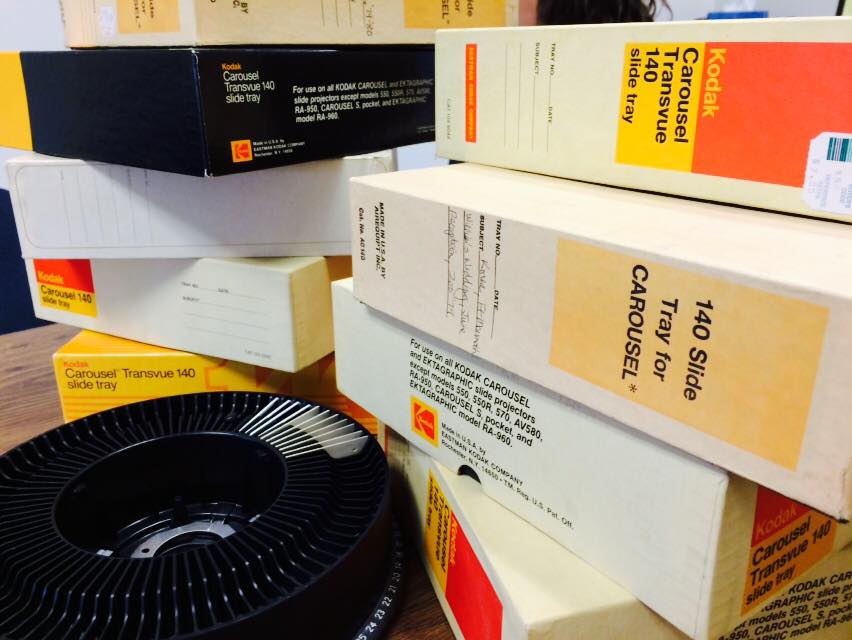
We wrote about the importance of families looking at their slides a few weeks ago. Here’s some frequently asked questions about getting slides converted at Pixologie.

Question: I have thousands of slides and have heard it is pretty expensive. How much does it cost?

Answer: We have two main options for our clients to have slides converted to a digital file.

  1. WE DO IT – Slide conversions cost 59 cents each and include color correction, dust removal and digital organizing.
  2. YOU DO IT – Our clients are welcome to come to our Open Studio Time which is $15 for three hours. You can use our simple Wolverine Converter at no extra charge and scan your slides yourself. We will be there to help answer any questions and assist with technical difficulties.

In either case, we can work with clients to prepare a quote that meets your needs while ensuring your memories are ready to digitally save and share.

Question: I think there are way too many travel scenes from my parent’s vacations with nobody in them. Do I need to save those?

Answer: We believe that the best slides are pictures of people you know – families doing things together, celebrating milestones and growing up. With that being said, we have seen that many, many slides have been taken of landscapes. We recommend perhaps saving a few of the very best landscape shots to keep with the family vacation photos.

Question: How do I save the digital files of my slides with my other photos?

Before answering this, we need to mention that we recommend saving all your digital photos on your computer in one place (free options include Pictures folder on a PC and iPhoto on a Mac). Here are some naming recommendations for your files of digital photos:

MAC – Save your slides as an event in iPhoto:

  • 1970s Slides or
  • 1960 to 1980 slides

PC – Name your folder as follows: YYYY-MM-DD Description.

Examples of this on a PC include:

  • 2010
  • 2010-01
  • 2010-02-17 Valentine’s Day

And then, so your folders will fall in date order, name your slide folders with the date first:

  • 1970s Slides
  • 1950s to 1975 Slides

If you are feeling ambitious, you can subdivide the folders into months and family events.

We’d love to help you get your slides converted now! There are too many family lessons and stories to be told from those memories to wait any longer. Here’s two ways we can help:

NUMBER ONE – COMPLIMENTARY SLIDE PICK-UP!

In February – FREE SLIDE PICKUP! We will come to your home and meet with you to pick up your slides. Please contact us to arrange this (within 100 miles of Milwaukee) at 414-731-1881 or email: contact@pixologieinc.com.

NUMBER TWO – OPEN STUDIO TIME TOOLS

Screen Shot 2015-01-20 at 2.44.10 PM

Come into our studio, for three hours, it’s only $15. Use our slide projector, slide sorter and more to figure which slides you want to save. Then you can use our Wolverine scanner to convert them yourself or have us professionally convert your slides for you!
No matter what you decide, it’s time to get those old slides out of their carousels and back into life to celebrate and share the memories!

website: www.pixologieinc.com